New in v0.1.5: apps show their real names, and only the network you’re connected to shows as active. Release notes
Per-app data monitor for Linux
See which app ate your data
DataSabi watches every network connection on your laptop and names the process behind it — so you know where your bundle is going before it’s gone.
Free. Ubuntu 22.04+, Debian 12+, Fedora (beta). Works offline, no account needed. Install guide
Built for laptops on limited data
Per-app breakdown
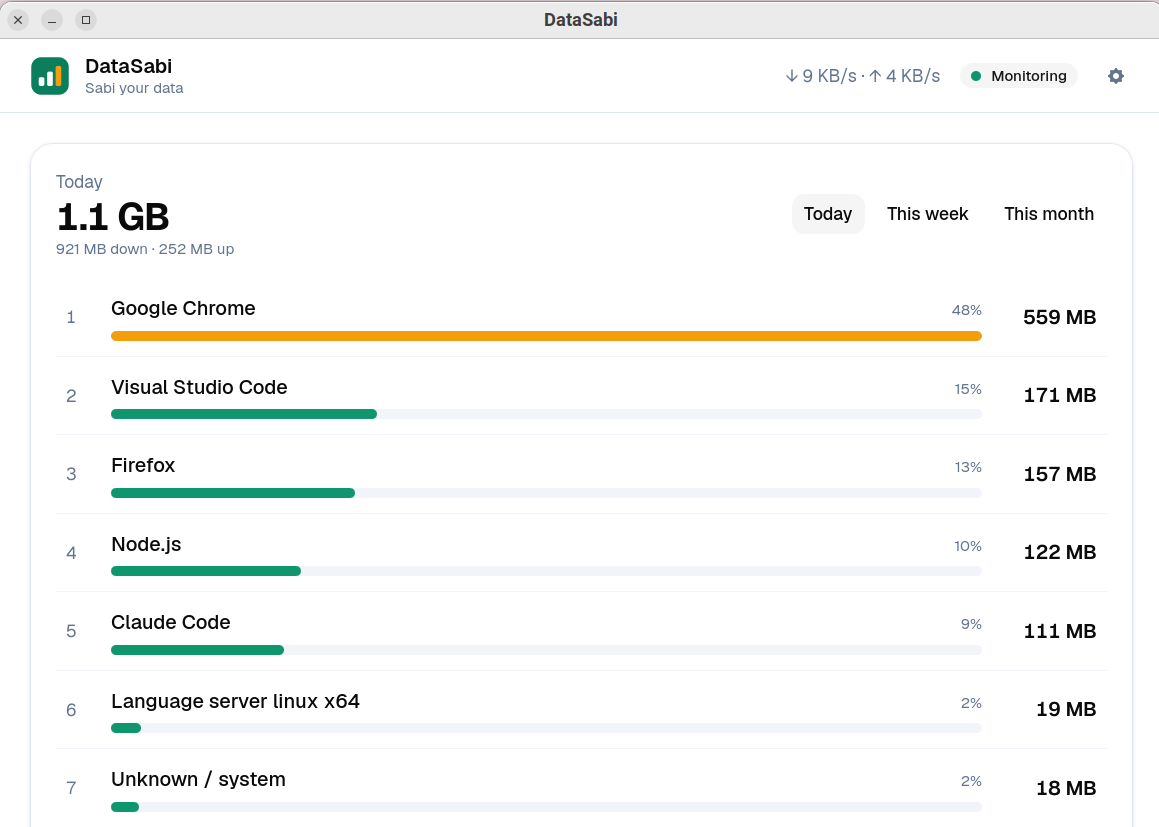
See every app that used the network today, this week or this month — by name, not IP address. Click an app for its download and upload split and an hourly or daily chart.
Tour the dashboard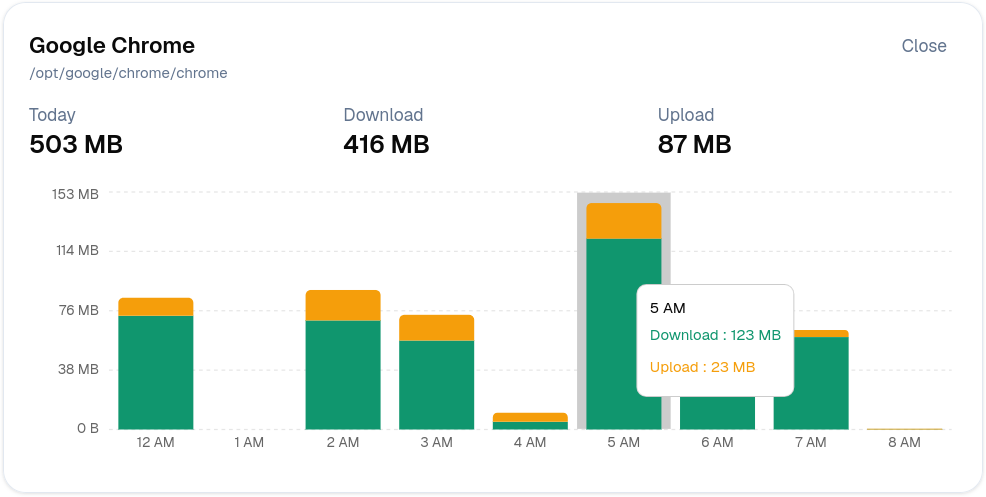
Alerts before your bundle is gone
When one app uses 50 MB in 15 minutes or 150 MB in an hour on a metered connection, you get a desktop notification. Change the thresholds, add your own rules, or pause alerts with quiet mode.
How alerts work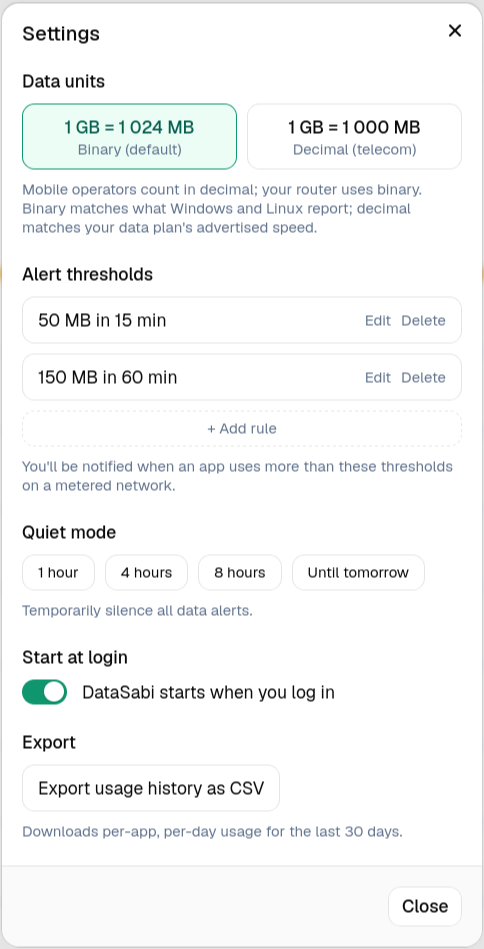
Runs quietly in the tray
Close the window and DataSabi keeps running in the tray, so alerts keep firing. It starts hidden when you log in, and the tray tooltip shows today’s total.
What to expect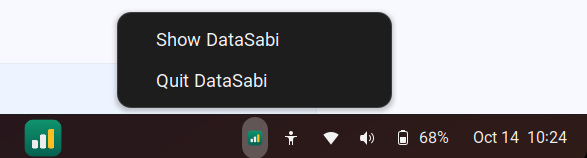
Knows metered from Wi-Fi
Detects your current network and labels it metered or unlimited. You can also mark any connection yourself.
Runs offline. No account.
Every feature works without internet. No sign-in, no telemetry, no cloud sync.
Collector is open source
The background service that runs with elevated rights is Apache-2.0 on GitHub.
Built for real situations
Your MiFi bundle vanished overnight
The collector keeps recording while the app is closed. In the morning, open DataSabi, pick Today, and the top of the list shows what used it.
The Android emulator is eating your data
Emulator images and Gradle downloads are big. DataSabi names them Android Emulator and Gradle, so you can see what a build really cost.
Working off a phone hotspot
Networks DataSabi can’t identify are treated as metered, so alerts work on a hotspot from the start. Mark it Metered to make that permanent.
How it works
Three steps, about five minutes.
sudo apt install ./datasabi-collector_*_amd64.deb ./DataSabi_*_amd64.debRun it from your Downloads folder. On Fedora, see the install guide.
Install: Download two files and install both with one apt or dnf command.
Connect: Log out and back in once so the app can reach the service.
Monitor: Open DataSabi. Tracking starts right away — no setup, no account.
No cloud. No account. Nothing leaves.
The collector counts bytes per app per network. It never reads packet contents, URLs, or domain names.
Minimal permissions
Four Linux capabilities, granted by systemd. The collector runs as its own datasabi user, not root.
Learn moreOpen‑source collector
The part with elevated rights is Apache-2.0 on GitHub, so you can read every line.
View on GitHubOnly byte counts
No URLs, no domains, no packet contents. Just how much each app used, and on which network.
Learn moreNothing leaves your laptop
No remote servers, no sign-in, no telemetry. The only outbound request is a small update check when you open the app.
Read moreStorage
One local database
Usage is saved on your machine at /var/lib/datasabi/usage.db. The app reads it through the collector, never directly.
Common questions
Start monitoring in five minutes
Two files, one command, one logout. Free for Linux.
Download for LinuxQuestions? isaac@arkodeon.com